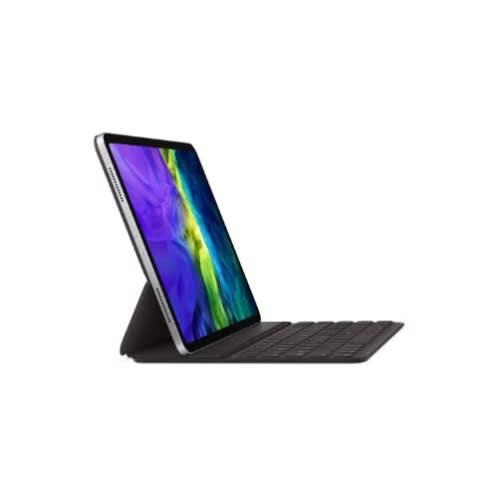

Smart Keyboard - 12.9-inch Folio For 11" Ipad Pro 2020 - Black


Smart Keyboard - 12.9-inch Folio For 11" Ipad Pro 2020 - Black
Get an estimate on delivery to your location.
- Pay by card, bank transfer or USSD at checkout
Apple Smart Keyboard - 12.9-inch Folio For 11" Ipad Pro 2020 - Black
Use your Smart Keyboard Folio or Smart Keyboard with your iPad
Learn how to connect and use your Smart Keyboard Folio or Smart Keyboard.
To use a Smart Keyboard Folio, you need an iPad Pro 11-inch (1st or 2nd generation) or iPad Pro 12.9-inch (3rd or 4th generation).
To use a Smart Keyboard, you need an iPad (7th generation), iPad Air (3rd generation), iPad Pro 9.7-inch, iPad Pro 10.5-inch, or iPad Pro 12.9-inch (1st or 2nd generation).
Looking for Magic Keyboard help? Learn how to .
Connect to your iPad
Unlike Bluetooth keyboards, you don't need to pair or turn on your Smart Keyboard Folio or Smart Keyboard.
If you have an iPad Pro 11-inch (1st or 2nd generation) or iPad Pro 12.9-inch (3rd or 4th generation): Connect your Smart Keyboard Folio to your iPad Pro with the Smart Connector. The Smart Connector is on the back of your iPad Pro, and has three small, magnetic contacts. Then put your iPad in the position.
If you have an iPad (7th generation), iPad Air (3rd generation), iPad Pro 9.7-inch, iPad Pro 10.5-inch, or iPad Pro 12.9-inch (1st or 2nd generation): Connect your Smart Keyboard to your iPad with the Smart Connector, which has three small, magnetic contacts. The Smart Connector is on the top edge of your Smart Keyboard and on the side of your iPad. Then put your iPad in the position