Wireless Keyboard And Mouse Combo


Wireless Keyboard And Mouse Combo
Get an estimate on delivery to your location.
- Pay by card, bank transfer or USSD at checkout
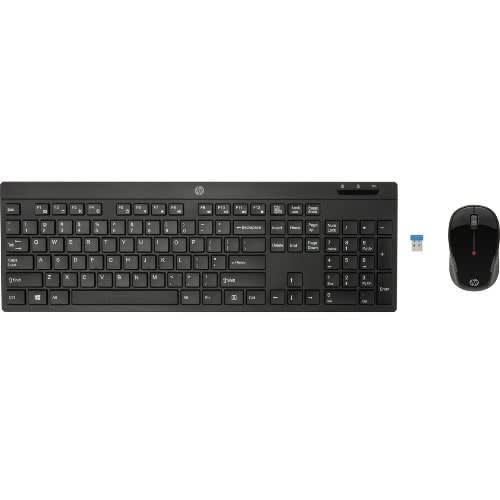
- HP Wireless Keyboard and Mouse
- The HP Wireless Keyboard and Mouse places advanced functionality and ease of operation at your fingertips. Stop hiding wires and regain a clutter-free work space with a cordless keyboard, cordless laser mouse and USB wireless receiver in a single package – built with the environment in mind.
The keyboard, mouse, and transceiver are already paired from factory. It is been observed that the “Keyboard stops responding after some time of usage & gets disconnected from transceiver". TROUBLESHOOTING : Service locations needs to confirm below troubleshooting steps. 1. Disconnect and reconnect the USB transceiver. TIP: You must complete all steps within one minute of reconnecting the USB transceiver. 2. Uninstall and reinstall the keyboard batteries. 3. Press and hold the Connect button on the bottom of the keyboard for around 10 seconds. 4. IF mouse is also reported for not responding then Turn the mouse off. 5. Simultaneously press and hold the scroll and right mouse buttons and turn the mouse on.
The keyboard, mouse, and transceiver are already paired from factory. It is been observed that the “Keyboard stops responding after some time of usage & gets disconnected from transceiver". TROUBLESHOOTING : Service locations needs to confirm below troubleshooting steps. 1. Disconnect and reconnect the USB transceiver. TIP: You must complete all steps within one minute of reconnecting the USB transceiver. 2. Uninstall and reinstall the keyboard batteries. 3. Press and hold the Connect button on the bottom of the keyboard for around 10 seconds. 4. IF mouse is also reported for not responding then Turn the mouse off. 5. Simultaneously press and hold the scroll and right mouse buttons and turn the mouse on.