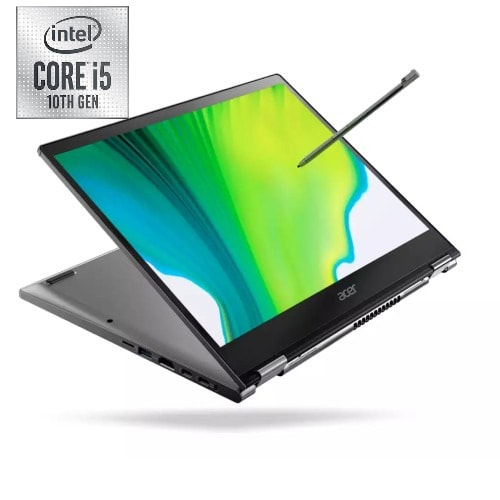

Spin 3 X360 10th Gen, Core i5, 8GB, 256 SSD, Backlit Keyboard Wins 10+ Free 1TB External HDD


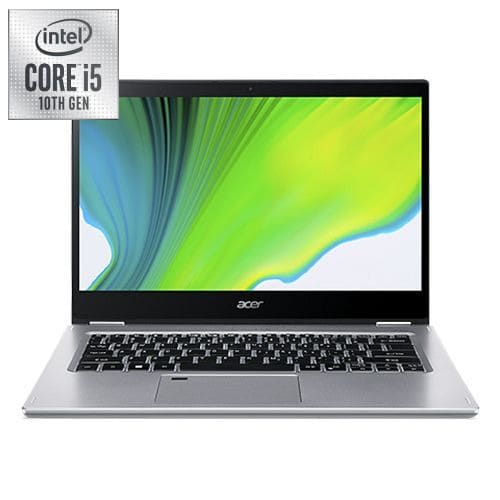
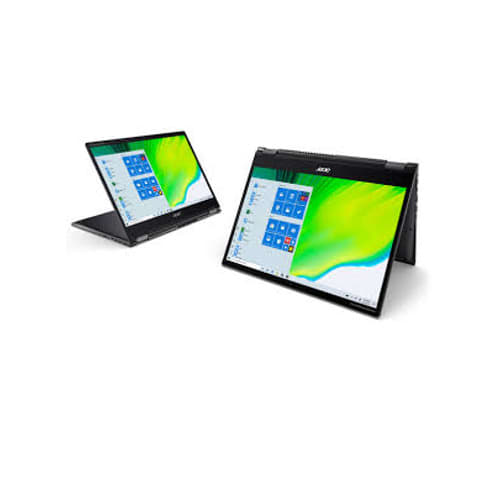
Spin 3 X360 10th Gen, Core i5, 8GB, 256 SSD, Backlit Keyboard Wins 10+ Free 1TB External HDD
Get an estimate on delivery to your location.
- Pay by card, bank transfer or USSD at checkout
Acer Spin 3 Convertible Laptop, 14" Full HD IPS Touch, Intel Core i5-1035G1, 8GB LPDDR4, 256GB NVMe SSD, WiFi 6, Backlit KB, Fingerprint Reader, Rechargeable Active Stylus, Win 10, SP314-54N-53Q7
..............................................................................................................................................................................................................
Acer Spin 3 SP314-54N SP314-54N-53BF 14" Touchscreen 2 in 1 Notebook - Full HD - 1920 x 1080 - Intel Core i5 (10th Gen) i5-1035G1 Quad-core (4 Core) 1 GHz - 8 GB RAM - 256 GB SSD - Pure Silver
10th Generation Intel Core i5-1035G1 with vPro Processor (Up to 3.6GHz) - 8GB LPDDR4 Memory - 256GB NVMe SSD14" Full HD (1920 x 1080) widescreen LED-backlit IPS Multi-Touch Display - Intel UHD Graphics Intel Wireless Wi-Fi 6 AX201 802 11ax - Backlit Keyboard - Fingerprint Reader - Up to 12 Hours Battery Life1 - USB 3.1 Type C port (up to 10 Gbps) DisplayPort over USB-C Thunderbolt 3 USB Charging DC-in, 2 - USB 3.2 Gen 1 ports (one featuring power-off charging) & 1 - HDMI 2.0 port. Rechargeable Acer Active Stylus with Wacom AES 1 0 - Windows 10 Professional.Intel UHD Graphics - In-plane Switching (IPS) Technology, Cine Crystal - English Keyboard - 11 Hour Battery Run Time - IEEE 802.11 a/b/g/n/ac/ax Wireless LAN Standard
The slim and convertible Spin 3 is a 2-in-1 touchscreen laptop for productivity on the go. A 13.3 inch 16:10 taller display1 and long battery life deliver better video and web browsing. The built-in Acer Active Stylus with Wacom AES 1.0 makes drawing and writing easy, and an 10th Gen Intel® Core™ Processor1 with Intel® Iris® graphics1 brings performance for work and play.
Primary Camera: HD webcam
Connectivity
The two USB-A ports are distributed on both sides of the device; a Thunderbolt 3/USB-C port with Power Delivery is only available on the left. The power adapter, HDMI connectors, and memory cards also have their corresponding slots there. On the right side, there's the power button, which is easy to reach even in tablet mode, and a combined audio jack for headsets and the like.
The Acer Active Stylus is also located on the right side. The stylus sits inside the case, but it can't be removed with one hand when the device is placed on a table. It's held quite tightly in its place, which makes it harder to lose. Otherwise, there's little to criticize about the accessibility and usability of the ports.
SD card reader
A positive aspect is that the device has a slot for microSD memory cards integrated into the case. That's the only pro, however, because the reader disappoints in the test with below-average performance, ranking worst among the comparison models. Users who want to use the SD card reader frequently, e.g. to transfer photos from a camera, should either be prepared for longer transfer times or use a different device.
Webcam
Acer has installed a 720p camera that makes a solid impression in the test in daylight considering its capabilities. It's absolutely sufficient for video calls.
Security
The security features of the Acer Spin 3 A314 are limited to a Kensington slot on the right side and a fingerprint scanner that is integrated into the touchpad.
Accessories
Besides the mandatory power adapter, Acer includes the aforementioned Acer Active Stylus that supports Wacom's AES 1.0 with the Spin 3. The small stylus fits quite well in the hand despite its thin build and features a button that enables right-clicking. It's charged in the case, and within 15 seconds, it's ready to do its job again for 90 minutes. Acer doesn't include any other accessories in the box, but it does offer optional accessories in its online store.
Display
As befits a convertible, the Acer Spin 3 SP314 is also equipped with a touchpad display. It's a 14-inch panel with a Full HD resolution, i.e. 1920x1080 pixels. We would definitely recommend using the included stylus for touch input. When you use your fingers, the display quickly gets ugly smudges on it, which is a negative feature of almost any touchscreen, though.
Even though Acer has installed a glossy and not a matte screen in the device, reflections are kept within limits. Indoors, they are only bothersome to a limited extent; as long as there is no window or other direct light source facing the screen, reflections are in control. However, they are more of a problem outdoors.
The display's brightness distribution is quite even, but it could be a bit brighter at an average of 270 cd/m². In the dark, minor backlight bleeding occurs at the upper edge of the screen; this can be seen very clearly in the photo taken with an extended exposure time.