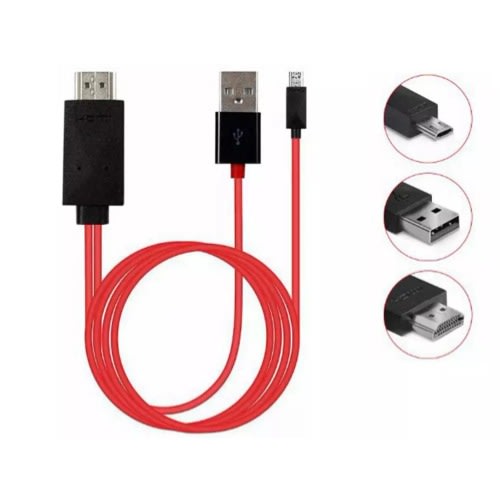
Hdmi Cable 2m Android Usb To Hdmi Adapter Micro Usb To Hdmi Hd Tv For Samsung Devices - 1080p


Hdmi Cable 2m Android Usb To Hdmi Adapter Micro Usb To Hdmi Hd Tv For Samsung Devices - 1080p
Get an estimate on delivery to your location.
- Pay by card, bank transfer or USSD at checkout
Features: 100% brand new and high quality The product supports micro 11pin for Samsung mobile phone, for Samsung S3 S4 S5 note2 note3 note4 and other mobile phones with MHL function.
Other for Android does not support The product must be powered by an external power supply (5V 1A or higher), otherwise, it cannot be output to HDMI After connecting the product, you must restart
the phone. Remember to use the product on the phone to restart the phone for the first time, otherwise, there is no HDMI output. Product output does not require any settings, automatically output
after restarting the phone After the product is connected, the HDMI logo will be displayed on the phone (some phones will not be displayed), and the phone will show that it is charging Perfect support
1080P output Mobile phones may not support MH output after brushing ROM Steps to connect the MHL device to the TV: Connect the smaller end of the MHL cable to the MHL Phone device. Connect
the larger end (HDMI) end of the MHL cable to the HDMI input on the TV that supports MHL. Connect the USB cable end to Power source USB Plug / TV USB PORT / POWER BANK etc.
Turn both of the devices on. From the menu of the TV, set Auto Input Change (MHL) to On so that the TV automatically switches to the MHL input when an MHL compatible device is connected.
The Auto Input Change (MHL) setting may not work if the MHL compatible device does not support the feature. Please read the notes before ordering: Please make sure that your device is
MHL-enabled and the micro USB interface is 11 pin; Please reboot your smartphone/tablet with the MHL cable connected ON FIRST USE; When the battery of your smartphone/tablet is less than 40%,
the screen may flash. Please charge your device before using this adaptor again