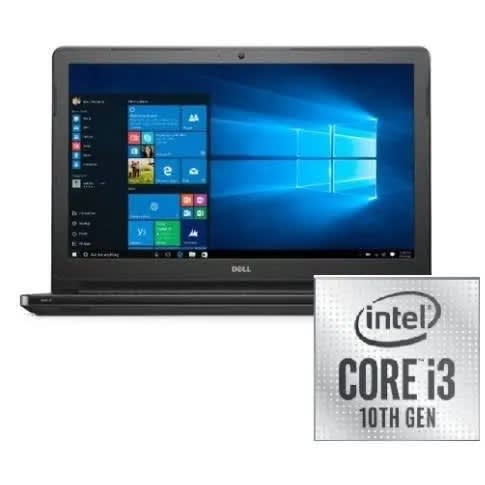

Vostro 3401 - 10th Gen Core I3 - 1TB HDD - 8GB RAM - 14" Fhd Display - Win 10 Pro


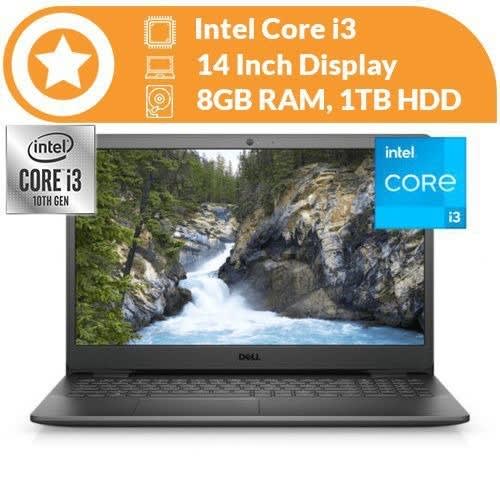
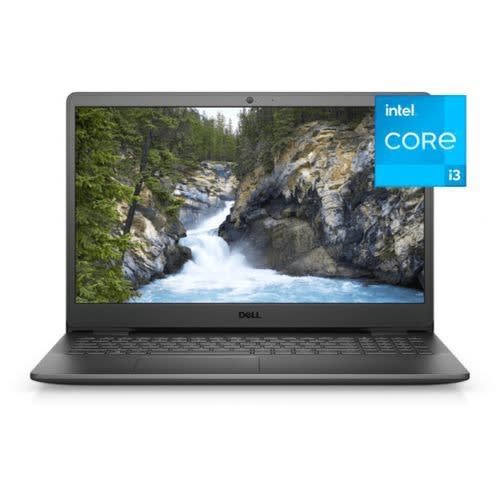
Vostro 3401 - 10th Gen Core I3 - 1TB HDD - 8GB RAM - 14" Fhd Display - Win 10 Pro
Get an estimate on delivery to your location.
- Pay by card, bank transfer or USSD at checkout
| Brand | |
| Screen size | 14 inches |
| Resolution (Display) | 1920 x 1080 |
| RAM | 8 GB |
| Hard Drive | 1 TB |
| Graphics | VGA |
| Wireless | Bluetooth, WiFi |
| USB Ports | (3 x USB 2.0, 1 x USB 3.0) |
| Battery | Up to 9 hours |
| Number of Cores | 2 Cores |
| Storage Type | HDD |
| Display Technology | Not Specified |
| Warranty Period | 1 Year |
| Colour | Black |
The Vostro 3401 features an FHD display with a 2-sided narrow border, an Express Charge battery and 10th Gen Intel Core processors.
Express Charge: Take your battery charge level from 0% up to 80% within an hour so you’re not tied down to an outlet while working on the go.
Amplified display: An FHD panel offers more brightness and vivid color for an enhanced front-of-screen experience, and a 2-sided narrow border emphasizes your screen while helping minimize distractions.
Within Dell Power Manager software, selecting Express Charge can recharge system battery from 0% up to 80% within 60 minutes. After charging has reached 80% capacity, charging speed will return to normal speed. Recommended for use with the provided
Dell Mobile Connect: Experience seamless wireless integration between your laptop and Android or iOS smartphone. Dell Mobile Connect allows you to access multiple devices and applications without dividing your attention
Files at your fingertips: Store all your important documents for easy access with 1TB HDD
| Activity | Personal |
| Operating System | Windows 10 |
| Operating System | Windows 10 |
| Graphics Processor | Intel Integrated Graphics |
| Brand | |
| Screen size | 14 inches |
| Resolution (Display) | 1920 x 1080 |
| RAM | 8 GB |
| Hard Drive | 1 TB |
| Graphics | VGA |
| Wireless | Bluetooth, WiFi |
| USB Ports | (3 x USB 2.0, 1 x USB 3.0) |
| Battery | Up to 9 hours |
| Number of Cores | 2 Cores |
| Storage Type | HDD |
| Display Technology | Not Specified |
| Warranty Period | 1 Year |
| Colour | Black |
The Vostro 3401 features an FHD display with a 2-sided narrow border, an Express Charge battery and 10th Gen Intel Core processors.
Express Charge: Take your battery charge level from 0% up to 80% within an hour so you’re not tied down to an outlet while working on the go.
Amplified display: An FHD panel offers more brightness and vivid color for an enhanced front-of-screen experience, and a 2-sided narrow border emphasizes your screen while helping minimize distractions.
Within Dell Power Manager software, selecting Express Charge can recharge system battery from 0% up to 80% within 60 minutes. After charging has reached 80% capacity, charging speed will return to normal speed. Recommended for use with the provided
Dell Mobile Connect: Experience seamless wireless integration between your laptop and Android or iOS smartphone. Dell Mobile Connect allows you to access multiple devices and applications without dividing your attention
Files at your fingertips: Store all your important documents for easy access with 1TB HDD
Amplified display: An FHD panel offers more brightness and vivid color for an enhanced front-of-screen experience, and a 2-sided narrow border emphasizes your screen while helping minimize distractions.
Within Dell Power Manager software, selecting Express Charge can recharge system battery from 0% up to 80% within 60 minutes. After charging has reached 80% capacity, charging speed will return to normal speed. Recommended for use with the provided
Dell Mobile Connect: Experience seamless wireless integration between your laptop and Android or iOS smartphone. Dell Mobile Connect allows you to access multiple devices and applications without dividing your attention
Files at your fingertips: Store all your important documents for easy access with 1TB HDD
Amplified display: An FHD panel offers more brightness and vivid color for an enhanced front-of-screen experience, and a 2-sided narrow border emphasizes your screen while helping minimize distractions.
Within Dell Power Manager software, selecting Express Charge can recharge system battery from 0% up to 80% within 60 minutes. After charging has reached 80% capacity, charging speed will return to normal speed. Recommended for use with the provided
Dell Mobile Connect: Experience seamless wireless integration between your laptop and Android or iOS smartphone. Dell Mobile Connect allows you to access multiple devices and applications without dividing your attention
Files at your fingertips: Store all your important documents for easy access with 1TB HDD