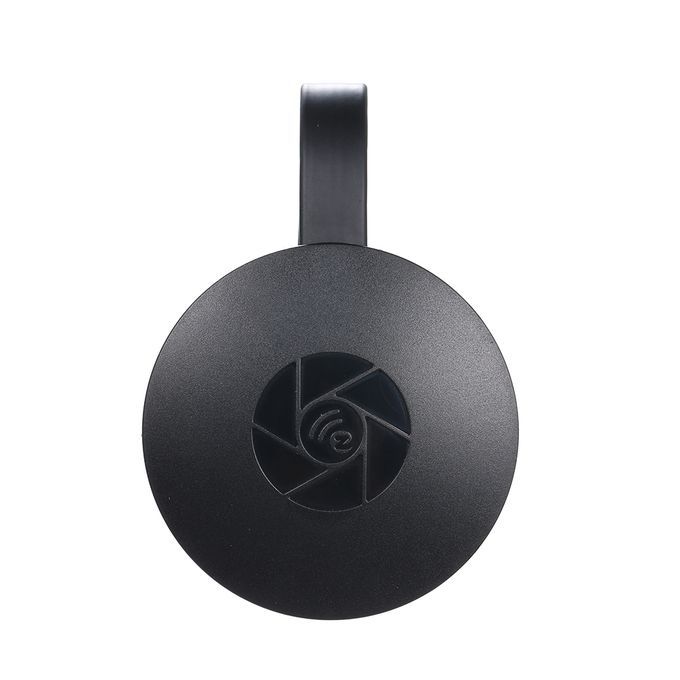
WIFI Display Receiver Mirroring Phone Tablet PC Screen To


1 / 8
WIFI Display Receiver Mirroring Phone Tablet PC Screen To
₦28,200
Secure checkoutRefund policy
Delivery
Get an estimate on delivery to your location.
Delivery to
Choose your state to see the delivery fee and when it arrives.
- Pay by card, bank transfer or USSD at checkout
Product Description
MiraScreen is a Wi-Fi display receiver, which support the Miracast standard for Android & Windows, and DLNA for home multimedia application. Futhermore, it also complies with (for) AirplayMirroring for iOS and OS X. Enjoy screen mirroring with MiraScreen.
Features:
Support 1080P HD video streaming from the Cloud, a perfect visual feast.
Support SRS (Surround Sound), a perfect audio feast.
2.4/5Ghz Wifi with adaptive antenna system, providing convenient large screen showing.
Support screen mirroring from Android and laptops.
Compatible for Android, iPhone, iPad, , Windows, Chromebook.
For iOS Connection Method:
Step 1: Press the same screen button to switch to Airplay mode.
Step 2: On the screen to read the screen with SSID and password.
Step 3: Connect the iOS device with the screen SSID using WIFI.
Step 4: Open Airplay and select MiraScreen SSID to start mirroring.
For Android Image Method:
Step 1: Press the same screen button to switch to Miracast mode.
Step 2: Turn on the Miracast feature of the Android device (such as Miracast / Smart View, different Miracast feature names will be different).
Step 3: Select the same screen name to start mirroring.
Specifications:
Item Weight: 27g / 0.95oz
Package Weight: 100g / 3.53oz
Package Size: 12 * 11.5 * 3.8cm / 4.72 * 4.53 * 1.50in (L * W * H)
Item Size: 17.3 * 5.7 * 1cm / 6.81 * 2.24 * 0.39in (L * W * H)
Package List:
1 * WIFI Display Receiver
1 * Cable
1 * User Manual
a a a a a
Features:
Support 1080P HD video streaming from the Cloud, a perfect visual feast.
Support SRS (Surround Sound), a perfect audio feast.
2.4/5Ghz Wifi with adaptive antenna system, providing convenient large screen showing.
Support screen mirroring from Android and laptops.
Compatible for Android, iPhone, iPad, , Windows, Chromebook.
For iOS Connection Method:
Step 1: Press the same screen button to switch to Airplay mode.
Step 2: On the screen to read the screen with SSID and password.
Step 3: Connect the iOS device with the screen SSID using WIFI.
Step 4: Open Airplay and select MiraScreen SSID to start mirroring.
For Android Image Method:
Step 1: Press the same screen button to switch to Miracast mode.
Step 2: Turn on the Miracast feature of the Android device (such as Miracast / Smart View, different Miracast feature names will be different).
Step 3: Select the same screen name to start mirroring.
Specifications:
Item Weight: 27g / 0.95oz
Package Weight: 100g / 3.53oz
Package Size: 12 * 11.5 * 3.8cm / 4.72 * 4.53 * 1.50in (L * W * H)
Item Size: 17.3 * 5.7 * 1cm / 6.81 * 2.24 * 0.39in (L * W * H)
Package List:
1 * WIFI Display Receiver
1 * Cable
1 * User Manual
a a a a a
Key Features
Support
Support
Support
Support
Support
Support
Easy to use
Exquisite Workmanship
Well Made
Best Choice and best discounts
Customer Care is Our Top Priority
Offer is Subject to Availability
Big Sale
What's In the Box
1 x WIFI Display Receiver 1 x Cable 1 x User Manual
Product Specification
| Model | JAVANLINCJ620408 |
|---|---|
| Production Country | China |
| Size (L x W x H cm) | 12 x 12 x 4 |
| Weight (kg) | 0.1 |
| Certifications | Organic |
| Color | multicolor |
| Main Material | 1 |
| From the Manufacturer | 1 |
| Care Label | 1 |
Ratings & Reviews
Reviews come from verified buyers. Bought this item? Rate it from My account.No reviews yet. Be the first to review this item.