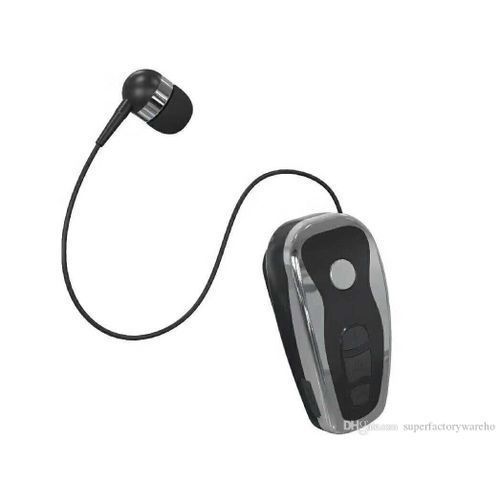

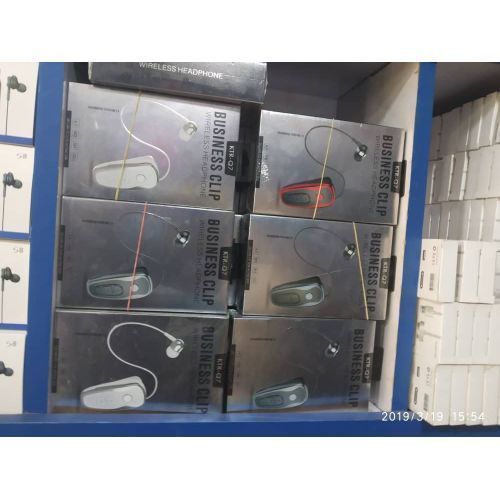
KTR-Q7 Fashion Business Clip Wireless Bluetooth Headphone


1 / 2
KTR-Q7 Fashion Business Clip Wireless Bluetooth Headphone
₦21,550
Secure checkoutRefund policy
Delivery
Get an estimate on delivery to your location.
Delivery to
Choose your state to see the delivery fee and when it arrives.
- Pay by card, bank transfer or USSD at checkout
Product Description
Q7 Wireless Bluetooth Headset provides the highest quality and functionality of built-in advanced Bluetooth 4.1+ EDR technology. Its technology makes it universal with all iPhones, Samsung phones and tablets, Nokia, and all android devices. Q7 is sweat proof for active lifestyles, whether you like to use it for working out and other occasions, you can enjoy premium music. Advanced technology ensures skip-free audio streaming while enjoying active lifestyle.
Function: support music, voice control, call function
Bluetooth protocol: 4.1
Charging batteries
The battery must be filled before the first use
1. Connect the charger wire to the charging socket on the headset.
2. Insert the charger into the power socket.
3. When charging, the indicator shows red, and the red light goes off when it is fully charged.
4. Separate the charger from the headset and the power outlet.
5. Or slide the headset into the cradle, the indicator light will be red, and the red light will go off when fully charged.
6. Remove the headset from the cradle.
Switch on / off
1. Power on: Press and hold the start / end call key for about 5 seconds until it is flashing blue.While the headset prompts Bluetooth is turned on
Function: support music, voice control, call function
Bluetooth protocol: 4.1
Charging batteries
The battery must be filled before the first use
1. Connect the charger wire to the charging socket on the headset.
2. Insert the charger into the power socket.
3. When charging, the indicator shows red, and the red light goes off when it is fully charged.
4. Separate the charger from the headset and the power outlet.
5. Or slide the headset into the cradle, the indicator light will be red, and the red light will go off when fully charged.
6. Remove the headset from the cradle.
Switch on / off
1. Power on: Press and hold the start / end call key for about 5 seconds until it is flashing blue.While the headset prompts Bluetooth is turned on
2. Shutdown: Press and hold the start / end call key for about 6 seconds until it flashes red.While the headset prompts that Bluetooth is turned off
Key Features
Advanced Bluetooth 4.1+ EDR Technology
Call Receiving/ Last Call Dialing
Dual Phone Connection (Connect to Two Phones at the Same Time!)
Mute, Reject, Volume Up and Down Features
5-8 Hour Talking/music Time
100 Stand-by Hours
Battery Charge Life with Battery Level Indicator
Product Specification
| Model | Ktr-Q7 |
|---|---|
| Weight (kg) | 0.4 |
| Color | Black |
| Main Material | N/A |
Ratings & Reviews
Reviews come from verified buyers. Bought this item? Rate it from My account.No reviews yet. Be the first to review this item.